Welcome to Swa!
Your AI teammate is ready to work. Whether you're in Slack, Microsoft Teams, or SMS, @swa is designed to help you automate real work across strategy, operations, marketing, logistics, and more.
You'll get a confirmation message from @swa in Slack shortly.
Unlock the Full Experience
Create your free admin account to get 5x more tokens and full control over models, agents, billing, and team management.
Important: Use the same email you used to install Swa in Slack so your accounts are linked.
Getting Started
@swa works wherever your team works. Here's how to use it.
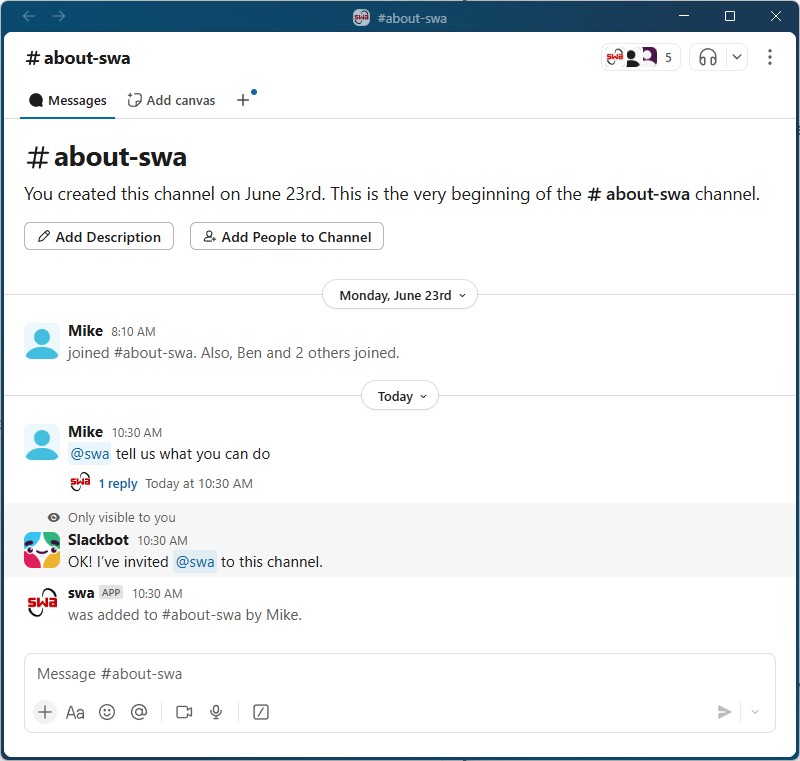
Collaborate with Your Team
- Simply type @swa to add it to the channel and start a conversation
- Collaborate with Swa alongside teammates — everyone in the channel can see responses
- Great for team brainstorming, shared research, and group problem-solving
Keep It Confidential
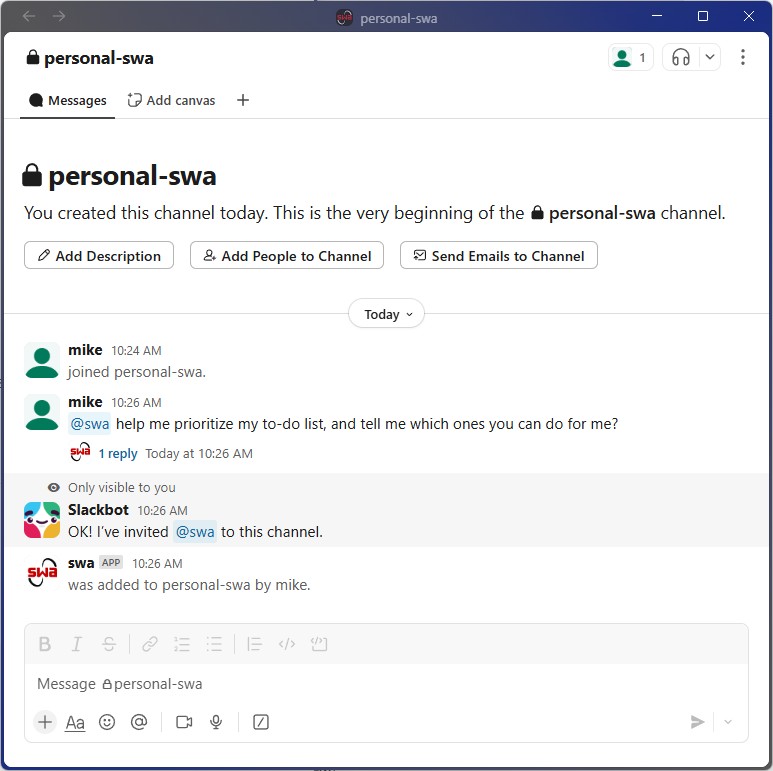
- Limited to you and those you invite to the channel
- Content is 100% private and not shared across channels
- Anything discussed will not "escape" the channel — only accessible to members
Your Personal AI Assistant
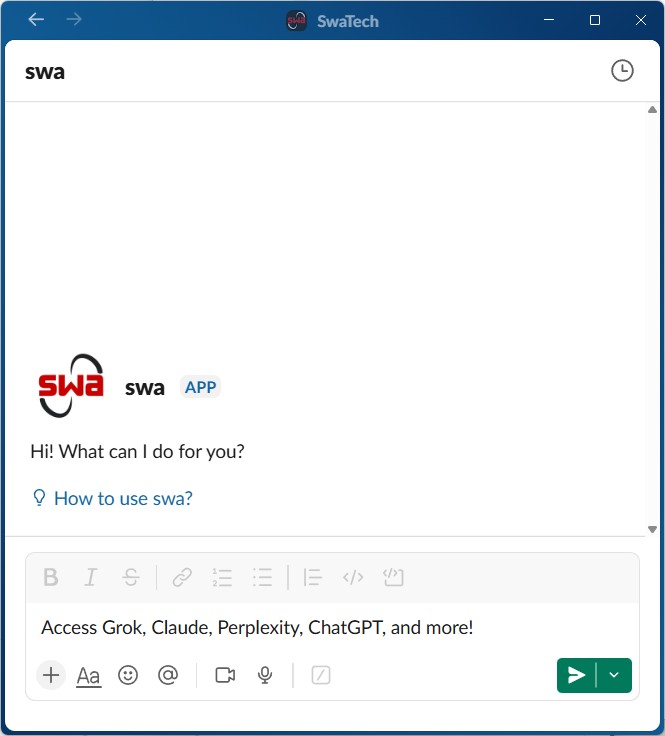
- No need to type @swa in DMs — just talk to Swa like an assistant
- Content is 100% private, completely separate from channels
- Context is never shared across channels or other locations — only accessible to you
Create Custom Agents
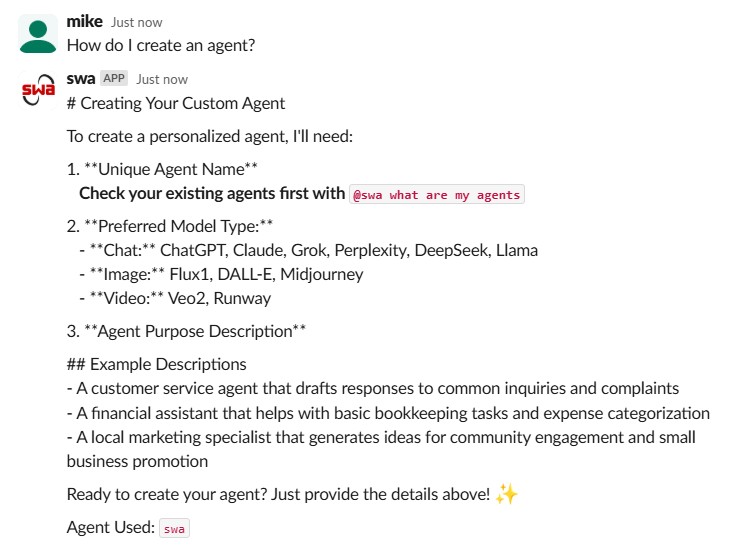
Design purpose-built AI assistants that think, speak, and act exactly how you need. Pick the model, customize the behavior, and deploy instantly.
Check Existing Agents
Before creating, check what's already available. Ask @swa what are my agents? and verify your proposed name isn't already taken.
Craft Your Description
Give your agent its personality and purpose. Ask @swa help me write a description for an agent that does [XYZ] or write it yourself with a clear purpose, content focus, and style.
Choose the AI Model
Pick the best "brain" for your agent. Claude for reasoning, ChatGPT for versatility, Perplexity for research, Grok for speed, DeepSeek for coding.
Create Your Agent
Say @swa create an agent named [name] using [model] with your description. Swa builds it instantly. Confirm with @swa what are my agents?
Examples In Action
Powerful, purpose-driven AI in your Slack with zero setup and immediate results.
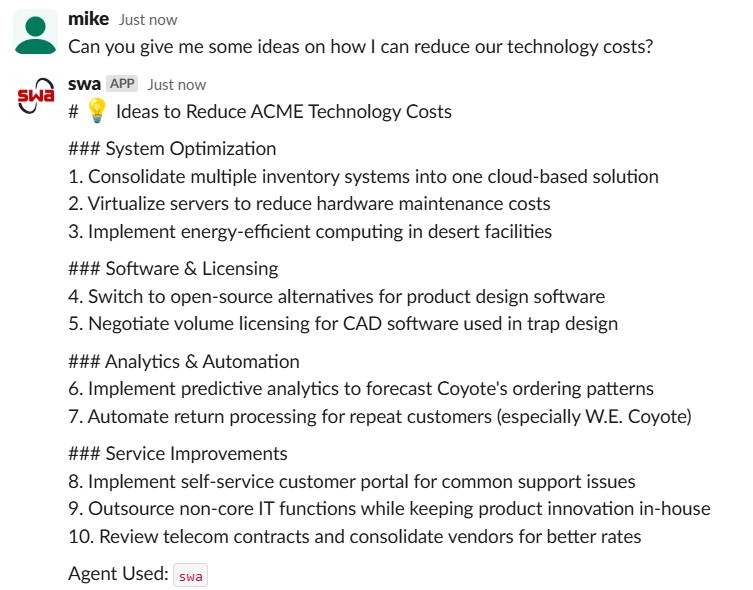
Cost Reduction Analysis
Analyzes your environment and delivers grouped, actionable cost-saving strategies — system consolidation, licensing, automation, and service improvements.
Operations / Finance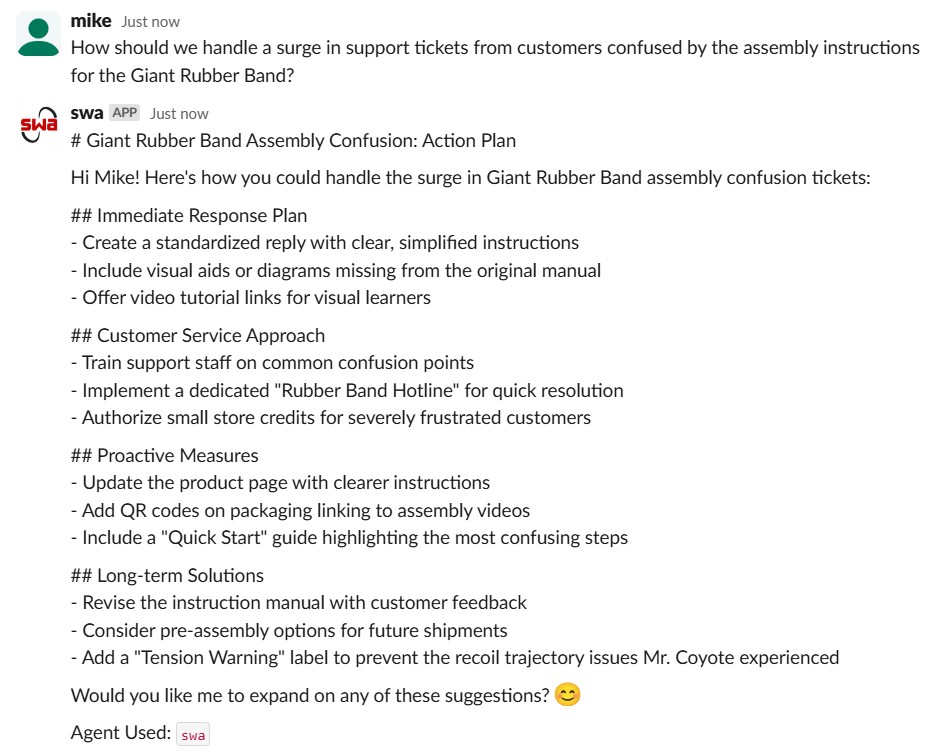
Customer Escalation Plan
End-to-end escalation plan with frontline responses, comms guidance, and product improvement feedback all in one output.
Support / CX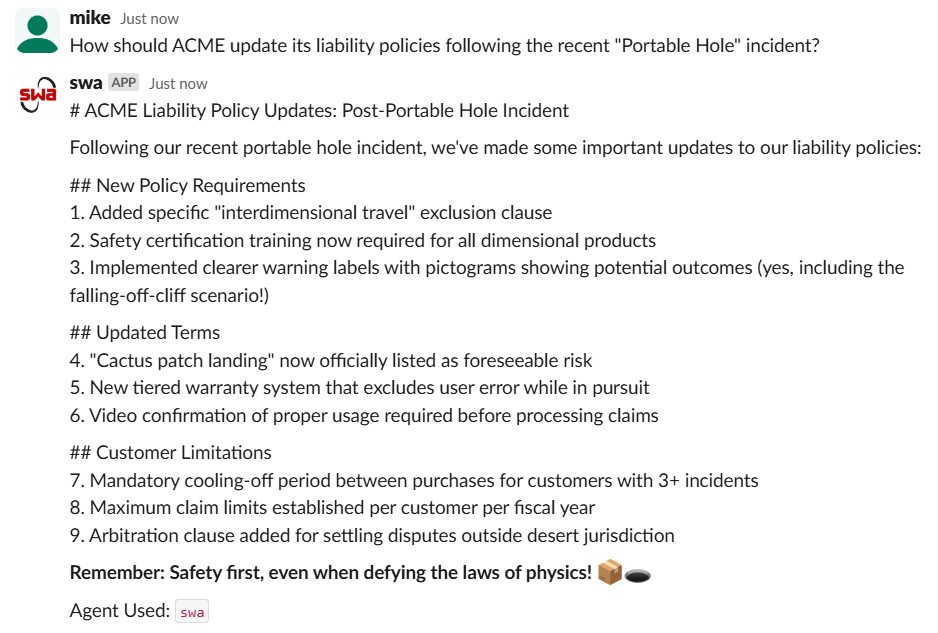
Liability Terms Generation
Produces readable liability terms tailored to specific failure modes — exclusions, training mandates, arbitration policy, and customer limitations.
Legal / ComplianceSwa Admin Panel
Everything you need to manage models, monitor usage, and control your platform.
Usage Analytics
Monitor token consumption and activity across users
Model Management
Enable or disable access to specific AI models
Billing & Plans
Manage billing plans and upgrade as usage grows
Team Management
Manage user permissions and team access
Integrations
Connect to external platforms and tools
Reports & Limits
Review reports, set limits, and adjust configuration
Use the same email you used to install Swa in Slack
Tips & Best Practices
Get the most out of Swa with these tips.
Work in Parallel
Each model has its own response time. The advantage with Swa: you don't have to wait. While one agent is working, you can ask another agent a different question in the same thread or start a new one.
File Uploads
Swa supports one photo or file upload at a time. Images and standard documents work fine, but very large spreadsheets can exceed token limits. We're actively working on multi-file support.
Long Threads
Very long Slack threads (dozens of messages or multiple file uploads) may sometimes fail to process. Simply start a new thread to continue the conversation. We're developing improved context architecture.
Reduce Hallucinations
AI can sometimes produce inaccurate responses. With Swa, you can ask multiple models the same question, compare outputs, and consolidate answers. This significantly reduces errors and gives a broader perspective.
AI Accuracy Notice: Generative AI may occasionally produce inaccurate or incomplete information. Please review important outputs for accuracy before relying on them. For mission-critical information, verify results before acting.
We Want to Hear From You
Your experience helps us make Swa better every week. Whether it's a feature request, a bug, or a new use case, your input goes directly into shaping our roadmap.
Ready to explore?
Open Slack and type @swa to get started.
Create Free AccountUse the same email you used to install Swa in Slack