Swa vs Meta Muse: A Personal Agent and a Company Platform Are Different Things
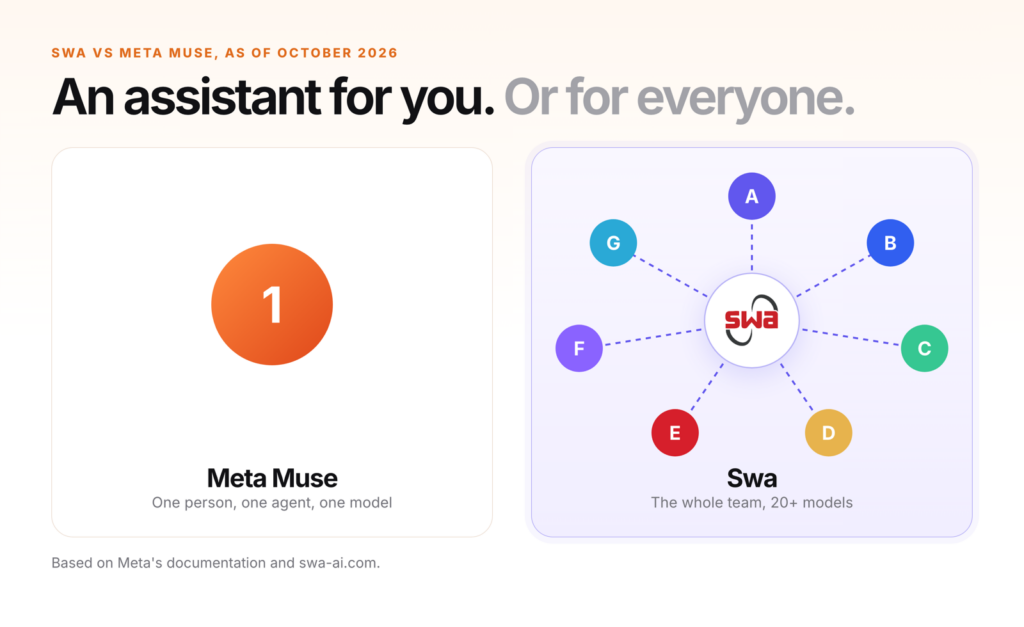
Meta introduced Muse on September 8, 2026. On September 29 it followed with Muse for Small Business, which connects the agent to Slack, Stripe, QuickBooks, Notion and more than a dozen other tools. If you run a company and you are wondering whether Muse could be your team’s AI, it is worth reading what Meta’s own documentation actually says.
The short version is that Muse is a very good personal agent, and its controls are built around one person at a time. That is a fair design. It is also a different thing from an AI for a company. This is the comparison as of October 26, 2026, from Meta’s own pages. Muse is still in limited testing in places, so check the current documentation before you decide.
The short version. Muse is a very good personal agent, and everything about it is built around one person: one Meta account, one model, a training setting that is on by default, and terms that make you “solely responsible for the actions Muse takes or directs.” Swa is a shared teammate. Anyone in the thread can ask it, you pick the model or let it route, admins control which models each team can use, and there are no per-user fees.
What Muse does well
Muse runs on what Meta calls a Muse Secure VM, a dedicated cloud computer with its own browser that holds both the agent and your data. It can open a browser, fill out forms, send email and work on a goal after you close the app. A separate monitoring agent called Sentinel sits on the same machine and approves anything that would reach the internet. Muse asks before sensitive actions such as sending an email or making a purchase, and Meta says it shows “a complete audit trail of everything it has done and plans to do.”
Its memory design is a genuine strength. Meta’s data page says you can “edit and delete information in the Memory.md file directly,” and the same applies to a Soul file that describes the agent’s personality. You can ask Muse what it has saved about you, ask it to forget a topic, download your Muse data, or reset it entirely.
On a Mac, Muse can go further. Meta announced at Connect that, with your permission, “Muse can now drive any app on your Mac” and keep working while you are away. Its Mac help article says the app asks for macOS permissions including Full Disk Access, which Meta says covers all the files on your Mac, and that it can read information from apps such as iMessage, Notes, Reminders, Email and Calendar, with a per-app setting of Off, Read only, or Read and interact. It warns: “Computer use gives your agent broad reach across your Mac, so only grant access you’re comfortable with.” It is a powerful option for one person’s own computer.
It is also easy to start. Muse is free with a usage limit, and you can talk to it in the Muse app, at muse.ai, or directly in WhatsApp. For an individual, that is a strong offer.
One person
Meta describes Muse as a “personal AI agent,” and its Small Business page calls it “your AI teammate.” The documented controls, though, are built around one person. The paid plans are tied to a person’s Meta account: Power at $20 a month and Maximum at $100 a month, with weekly usage allowances of 500 million and 3 billion tokens. Meta’s launch announcement says “each person stays in control of their Muse and decides how much access it gets.”
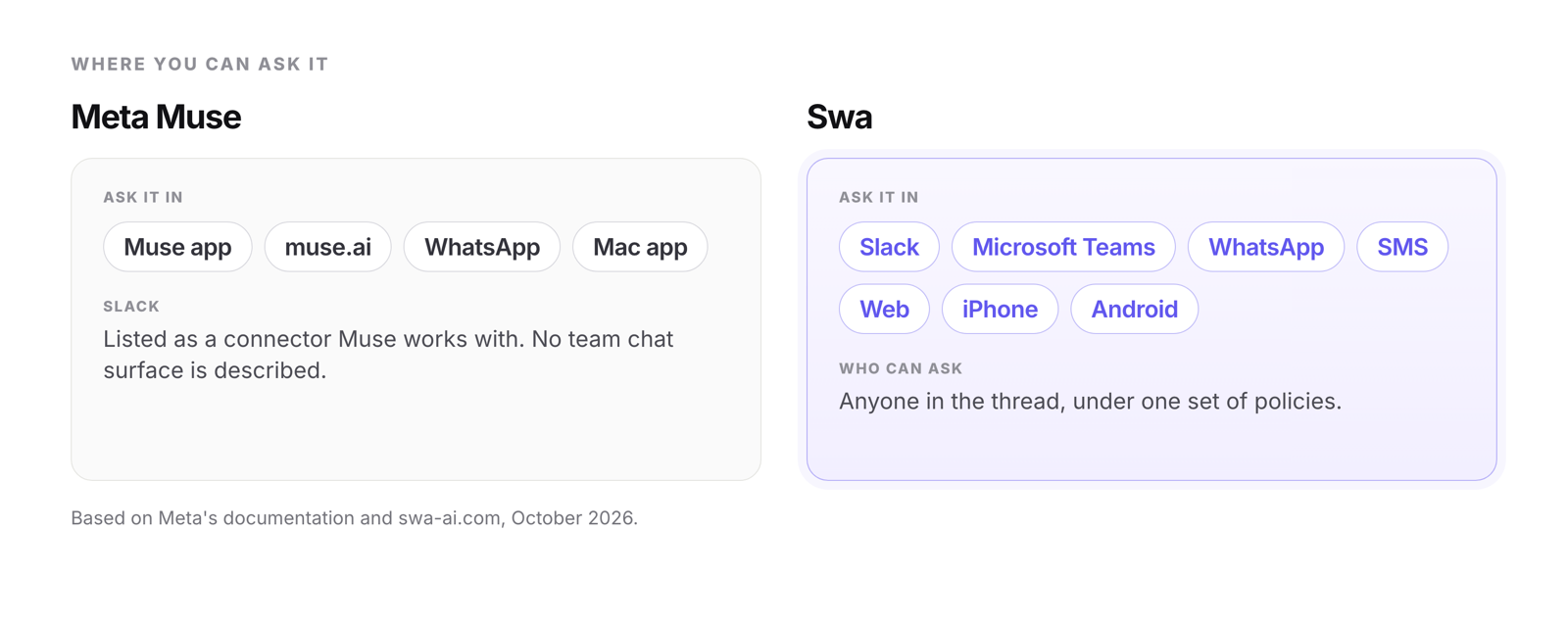
Muse for Small Business extends the same agent with connectors. Meta describes it as a collection of new skills and connectors inside Muse, and the pages we read list no separate business plan, seat pricing or team tier. Slack is one of the connectors, but it appears as something Muse works with, and Meta does not describe it as a place where your teammates can ask Muse questions. A Slack executive quoted in Meta’s announcement says Muse “keeps working in the background, accesses Slack as needed, and always checks for approval before taking action.” The places Meta lists for asking Muse something are the Muse app, muse.ai, WhatsApp and a Mac app, with AI glasses coming.
That works well for an owner who wants an assistant for their own day. It is harder to stretch to a team, where several people need answers from the same assistant, under the same policies, in the tools they already have open.
Swa is built the other way around. It is a shared teammate: anyone in the thread can ask Swa directly, in Slack, Microsoft Teams, WhatsApp, SMS or on the web, with one account and one set of policies behind it. Administrators can switch Swa on or off for individual people and teams.
Where you can reach it
Ways to reach each one, from Meta's documentation and Swa's own site. Swa answers in the thread, for anyone in it.
One model
Muse is “powered by Muse Spark,” Meta’s own model. The pages we read describe no way to choose a different one for a task. That is a sensible default for a consumer app, and a limit for a company that wants several vendors’ models available and wants administrators to control which ones.
Swa routes across 20+ models. You can pick the model you want for a task, and if you don’t, Swa routes it to the best one automatically. Administrators decide which models are available, at the organization level or for a single person.
Choice and reach at a glance
Muse: from Meta's documentation. Swa: pick a model or let it route.
One default to check
Meta’s data page says you decide whether it can use your Muse interactions to train and improve its AI models. It also says: “This setting is on when you first use Muse.” You can turn it off in Settings under Data controls, and when it is on, Meta says it removes certain categories of personal information such as names, email addresses and phone numbers. Meta also says Muse does not share your conversations or the data in your virtual machine with its ad systems. Its documentation notes that a Muse account in the same Accounts Center as other Meta products can have information combined across them, unless you keep it separate.
That is a defensible choice for a personal app. It matters for a company because the person who installs Muse for work is also the person who has to remember to change the default. Swa’s Privacy Policy states that Swa “does not use your inputs or outputs to train, fine-tune, or improve any machine-learning models.”
One more detail worth knowing: Meta notes that “after you delete something from Muse, Muse may still remember information it learned from what you deleted.” Deleting and forgetting are not quite the same thing.
What the terms put on you
An agent that can send email and spend money raises a question that a chat assistant does not: who is responsible when it gets something wrong. Muse’s supplemental terms answer it directly. They say you are “solely responsible for the actions Muse takes or directs,” including “any contracts, commitments, communications, content or transactions made,” and that you will “maintain meaningful human oversight over all actions taken.” You also waive claims against Meta arising from the actions of AI agents.
The terms cap Meta’s aggregate liability at the greater of $250 or what you paid in the previous twelve months, except for gross negligence, willful misconduct or fraud, and only to the fullest extent the law allows. If you live in the US or Canada, disputes go to individual arbitration and class actions are not permitted, with small-claims and a few other carve-outs and a 30-day opt-out. Meta may also monitor, log and retain records of Muse’s actions, and it reserves the right to change or end free access at any time.
Terms like these are not unusual for agents, and we are not suggesting Meta is doing anything improper. The point is that a company should read any agent’s terms, ours included, before an employee connects the company’s email, accounting or customer data.
Where it is still early
- Meta says Muse and Muse subscriptions “are in limited testing and aren’t available in all locations yet.” Its launch post describes a US rollout, its September 29 post describes Muse as available in the US and Canada, Meta began offering it in Japan on October 23, and you must be 18 or older.
- Meta has announced a Meta Enterprise Platform with Muse among its first components, but we found no plans, prices or sign-up for it yet. Meta has also said a newer model, Muse Wonder, will soon power Muse, with no date given.
- A fully encrypted Confidential VM, where not even Meta can read your data, is announced for “later this year.” It is not available yet.
- AI glasses support is “coming soon.”
- The documentation we read describes controls for each person. We found no administrator console for managing Muse across a team.
Side by side
| Capability | Meta Muse | Swa |
|---|---|---|
| Who it serves | One person. A personal agent. | The whole team. Anyone in the thread can ask. |
| Model | Muse Spark | 20+ models. Pick one, or Swa routes automatically. |
| Where you ask it | Muse app, muse.ai, WhatsApp, Mac app (with computer use) | Slack, Microsoft Teams, WhatsApp, SMS, web, iPhone and Android |
| Slack | A connector Muse works with. No team chat surface described. | Ask in the thread |
| Pricing | Free with a usage limit, then $20 or $100 a month, tied to a Meta account. No business tier. | No per-seat fees, usage-based |
| Using your data for training | Setting is on by default and can be turned off | Not used to train models |
| Memory controls | View and edit Memory.md and Soul.md, forget, export, reset | See what Swa remembers, erase it, export your information |
| Browser automation | Yes, on its own secure VM | Yes |
| Administration | Individual controls. No team console described. | One admin portal: switch Swa on or off per person or team, set models at org or personal level, usage and budgets |
| Availability | US, Canada and, since October 23, Japan. 18 and over, in limited testing. | Live today |
When Muse is the right call
- You want a capable personal assistant for yourself, or you run a very small business and the decisions are all yours.
- You want to start for free and see how far it goes.
- You value being able to read and edit exactly what your assistant remembers.
- You live in WhatsApp and the Meta apps, and you are comfortable with one model.
When Swa is the right call
- You want an assistant the whole team can ask, in the tools they already use, under shared policies.
- You want to pick the model when it matters, have the rest routed automatically, and keep up as models change.
- Your team is in Slack or Microsoft Teams, and you want the assistant there too, not only in a separate app.
- You want a clear answer on training, with nothing to remember to switch off.
If that sounds like your team, get started free.
Which sounds like you?
Three questions to ask before you commit
1. Who can give this assistant instructions? If the answer is one person, decide whether that fits how your team works.
2. What is the default for our data? Check whether training use is on or off when someone first signs up, and who is responsible for changing it.
3. Who administers it? If there is no way for an administrator to turn it on, off or limit it for a team, someone will eventually ask why.
Where this leaves things
Muse is a strong first release and a good personal agent, and Meta is clearly moving quickly. We checked Meta’s pages on October 26, 2026. Meta edited its launch post as recently as September 30 and its Small Business post as recently as October 8, and it launched Muse in Japan on October 23. A product this new will change, and we will update this comparison as it does.
The question we think matters is not which agent is cleverer. It is whether you are buying an assistant for a person or a teammate for a company.
Frequently asked questions
Can a team use Meta Muse?
Meta describes Muse as a personal AI agent, and the controls we found are built around one person. Muse for Small Business adds connectors, but the pages show no separate business plan or team console. Swa is a shared assistant that anyone in the thread can ask.
How much does Meta Muse cost?
Muse is free with a usage limit, then $20 a month for Power (500 million tokens a week) or $100 a month for Maximum (3 billion tokens a week), tied to a Meta account. There is no business tier. Swa has no per-user fees.
Does Meta train on Muse conversations?
Meta's data page says the setting that lets Meta use your Muse interactions to improve its AI models is on when you first use Muse, and you can turn it off in Settings. Swa's Privacy Policy states that Swa does not use your inputs or outputs to train, fine-tune, or improve any machine-learning models.
Who is responsible for what Muse does?
Muse's supplemental terms say you are solely responsible for the actions Muse takes or directs, and they cap Meta's liability at the greater of $250 or what you paid in the previous twelve months. Companies should read any agent's terms before connecting business data.
Where is Meta Muse available?
Muse launched in the US on September 8, 2026, is available in Canada, and began launching in Japan on October 23. You must be 18 or older, and Meta describes it as in limited testing in places.
Try it with your team
Try Swa on a real task in your own Slack or Teams. See the difference in ten minutes.
Keep reading: how Swa agents work, the integrations, or our other comparisons.